二维搜索
Sketch the part you are looking for or have a photo described in text form
Create image description with AI
Drag and drop file here, browse or
支持的文件格式: .PNG, .JPG, .JPEG, .WEBP

3Dfindit V12.7.2 发布说明

发布说明3Dfindit重要内容
3Dfindit 12.7.2 新升级提供了照片搜索、买家工具和更多功能。现在就了解新功能!

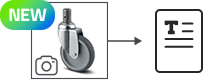
移动中查找组件的新方法:CADENAS 照片搜索

您是否曾在车间里想识别一个现有零件?现在,您可以使用参考部件的照片搜索选定的目录。该功能也可直接通过智能手机使用。备件搜索变得简单!

Photo search now possible on 3Dfindit in selected catalogs


全新外观 + 更多选项 = 全新 3D PDF 数据表

您已经使用 PDF 数据表完美地记录了您的组件。除了三维预览、二维推导和 BOM 等熟悉的内容外,未来还将在 PDF 中添加增强现实 QR 代码和其他有用信息。如果您尚未使用自动下载 PDF 功能,请立即激活。


Better download options and additional information in PDF format


增强现实二维码


In the downloaded PDF you will now find the appropriate augmented reality QR code to scan.


轻松实现战略采购:一键进行制造商分析

通过 "采购商分析 "工具,3Dfindit 为各种分析提供了可靠的基础,并支持采购商为其采购需求确定最佳供应来源。可提供指定零件类型的顶级制造商目录和广泛产品组合的顶级制造商目录。


Purchaser Analysis provides buyers with a reliable basis for a wide range of analyses and helps them to identify the optimum sources of supply for their procurement requirements.


通过索取目录索取更多制造商目录

您已经可以访问 6,000 多份制造商目录。但是,您可能还缺少一个特定的制造商。现在就利用这个机会通知制造商和我们您缺少 3Dfindit 上的内容。只要您输入名称,搜索栏下就会显示没有的目录。通过申请缺失的目录,帮助我们完成这些目录。


Request catalogs can be requested more easily.


将您的设计上传至我的内容 3Dfindit

您想快速、方便、高效地将您的设计以 100 多种本地 CAD 格式提供给社区的其他成员吗?现在就抓住机会,因为 MY CONTENT 现在支持同时上传多个模型。


Share your designs quickly and easily with other members of the 3Dfindit community.


进一步定制和改进:

  • 在 3Dfindit 中以弹出式窗口打开文档
  • 可在项目和产品级别设置交货国家过滤器
  • 在产品级别隐藏列功能
  • 在不同会话中保留 "以所有格式提供 "过滤器
  • 在产品级隐藏列的新功能

希望您喜欢这些新功能和优化!如果您有任何问题或建议,请随时发送电子邮件至3dfindit@cadenas.de

Add at least 2 products with